Meta Quest 3 (2026): The Ultimate Review & Technical Guide
Is the Meta Quest 3 still the best VR headset? Read our expert analysis on performance, mixed reality updates, and how it compares to the Quest 3S in 2026.

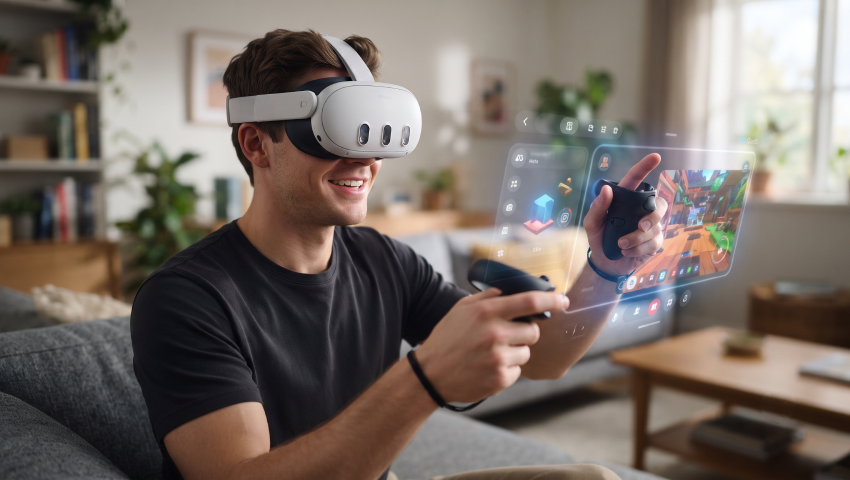
People often wonder about the Meta Quest 3, and since the launch of virtual reality in October 2020, the Oculus Quest 2 has received widespread praise for its ability to deliver high-quality VR experiences, especially given its affordable price and the Quest Store’s extensive selection of games and apps.
However, the focus is now shifting to the Meta Quest 3. In short, the Meta Quest 3 is the best VR headset available for most users. While it may not match the performance of the Apple Vision Pro or PC-connected headsets like the Valve Index or PSVR 2, it is significantly cheaper and, like the Quest 2, offers exceptional value for its price.
The new Snapdragon XR2 Gen 2 chip delivers 2.5 times faster graphics performance than the Oculus Quest 2, resulting in sharper images (with easily readable text) and noticeably improved lighting effects in VR experiences on the Quest 3. Higher-resolution displays and more RAM are also significant improvements.
Introduction: The Evolution of Standalone XR
1. The Lineage of the Quest Platform
To understand the significance of the Meta Quest 3, one must contextualize it within the lineage of standalone VR. The original Oculus Quest proved that 6-degrees-of-freedom (6DoF) VR was viable on mobile chipsets. The Quest 2 commoditized this, bringing VR to the masses with a subsidized price point. However, both devices were “blind” to the outside world, offering only low-resolution, monochrome passthrough intended solely for safety boundary setup.
The Quest Pro attempted to bridge this gap with color passthrough, but its high price and older chipset relegated it to a niche enterprise market. The Quest 3, codenamed “Eureka” during development, was engineered to democratize the mixed reality features of the Pro while significantly boosting raw performance. Released in October 2023 and maturing through 2024 and 2025 via aggressive software updates, the Quest 3 has effectively replaced the PC monitor for a subset of users and redefined expectations for mobile gaming graphics.
2. Market Positioning in 2025
In the current market (2025-2026), the Quest 3 occupies a critical “premium mainstream” segment. It sits above the budget-oriented Quest 3S (released late 2024), which retains the older optical stack to lower costs, and vastly below the exorbitant Apple Vision Pro ($3,500). This positioning makes the Quest 3 the de facto standard for developers; it is the baseline hardware target for modern XR applications, ensuring a long lifecycle and robust support.
Hardware Architecture Deep Dive
The Meta Quest 3 is not a simple iterative update; it is a complete re-engineering of the standalone form factor. The following sections break down its computational and visual systems.
1. The Computational Core: Snapdragon XR2 Gen 2
✅ Architectural Leap from 7nm to 4nm
The engine driving the Quest 3 is the Qualcomm Snapdragon XR2 Gen 2 platform. While the Quest 2 utilized the XR2 Gen 1 (based on the Snapdragon 865 and a 7nm process), the Gen 2 moves to a 4nm process node. This die shrink is the primary enabler of the headset’s capabilities, allowing for higher transistor density, improved thermal efficiency, and significantly higher clock speeds within the constrained thermal envelope of a face-mounted device.
✅ GPU Performance and Graphical Fidelity
The graphical processing unit (GPU) in the XR2 Gen 2 delivers a 2.5x increase in peak performance compared to the Quest 2. This is not a theoretical number but a practical one observed in rendering workloads.
- Shader Complexity: Developers can now employ advanced rendering techniques such as dynamic soft shadows, high-dynamic-range (HDR) lighting, and screen-space reflections (SSR) that were previously impossible on standalone hardware. Games like Red Matter 2 and Batman: Arkham Shadow utilize this headroom to deliver visuals that rival early PlayStation 4 titles.
- Texture Resolution: The increased memory bandwidth and GPU throughput allow for 4K textures, eliminating the muddy, compressed look typical of mobile VR.
- Hardware Acceleration: The chipset supports hardware-accelerated Application SpaceWarp (ASW). This feature allows the GPU to render at half the target frame rate (e.g., 45fps) while the hardware synthesizes intermediate frames using motion vectors to output a smooth 90fps or 72fps. This significantly reduces power consumption and thermal throttling during intensive mixed reality sessions.
✅ Neural Processing Unit (NPU) and AI
The XR2 Gen 2 features a massively upgraded NPU, boasting 8x AI performance per watt over the Gen 1. This neural engine is the unsung hero of the Quest 3, handling “always-on” perception tasks:
- Inside-Out Tracking: Simultaneously tracking the headset’s position (SLAM), two controllers, and the user’s articulated hands without tracking rings.
- Scene Understanding: Real-time depth estimation and semantic classification of room elements (walls, tables, couches) for mixed reality collision.
- Passthrough Synthesis: Merging camera feeds, correcting distortion, and reprojecting images to match the user’s IPD in under 12 milliseconds.
2. Display Technology and “4K+” Resolution
✅ The “Infinite Display”
The Quest 3 utilizes two LCD panels, canted (rotated) to maximize the field of view.
- Resolution: 2064 x 2208 pixels per eye. This creates a combined resolution of approximately 9 megapixels, marketing dubbed the “4K+ Infinite Display.”
- Pixel Density (PPD): The device achieves approximately 25 Pixels Per Degree (PPD). While this is still below “retina” resolution (60 PPD), it crosses a critical threshold where the “screen door effect” (the visible grid of black space between pixels) becomes virtually imperceptible to the average user. This clarity is essential for reading text, enabling productivity use cases like virtual monitors.
✅ Refresh Rates
The panels natively support 90Hz, with an experimental 120Hz mode available for supported applications. The 120Hz mode is crucial for fast-paced action games (e.g., Gorilla Tag, Beat Saber) to reduce motion sickness and input latency, though it comes at the cost of reduced battery life.
3. The Optical Revolution: Pancake vs. Fresnel
Perhaps the most immediately noticeable upgrade in the Quest 3 is the shift from traditional Fresnel lenses (used in Quest 2 / 3S) to advanced Pancake optics.
- Optical Technology Shift: Fresnel lenses rely on concentric ridges to focus light. While effective and lightweight, they require significant physical distance between the display and the lens. Pancake lenses, by contrast, use folded optics with polarized light reflection, effectively “bouncing” light within the lens assembly before it reaches your eye. This allows for a dramatically more compact design.
- Thinner, More Balanced Headset: Because Pancake optics fold the light path internally, the optical stack becomes roughly 40% thinner. This directly contributes to a slimmer visor profile and improved front-to-back weight distribution.
- Visual Clarity & Sweet Spot: Fresnel lenses have a small central sweet spot, meaning users must position the headset precisely and often move their entire head to maintain clarity. Pancake lenses offer edge-to-edge sharpness, allowing users to glance around naturally with their eyes instead of constantly adjusting head position. The sweet spot is significantly larger and easier to align.
- Visual Artifacts: Fresnel optics are known for “god rays”—bright glare streaks visible in high-contrast scenes. Pancake lenses largely eliminate this issue. The trade-off is a slight dimming effect due to the light-folding process, but this is typically offset by brighter display panels.
In practical terms, this transition represents a major leap in comfort, immersion, and visual fidelity, making the viewing experience noticeably more refined compared to previous-generation headsets.
✅ Technical Implications of Pancake Lenses
Pancake lenses work by bouncing light back and forth between polarizing layers within the lens elements. This “folding” of the light path allows the physical distance between the display and the lens to be drastically reduced.
- Ergonomic Benefit: This reduction allows the heavy display component to sit closer to the user’s face, reducing the lever effect (moment of inertia) on the neck. Even though the Quest 3 is slightly heavier than the Quest 2 (515g vs 503g), it feels lighter due to this improved center of mass.
- Visual Fidelity: The removal of Fresnel ridges eliminates the concentric ring artifacts and god rays that plagued earlier headsets. Users report a “night and day” difference in clarity, noting that movies and desktop interfaces are finally usable without constant adjustment.
4. Mixed Reality Sensor Stack
The front of the Quest 3 is dominated by three vertical “pills” housing the sensor array.
- RGB Cameras: Two 4-megapixel RGB cameras provide the stereoscopic color view of the world. This offers 10x the pixel count of the Quest 2’s black-and-white passthrough.
- Depth Sensor: Unlike the Quest Pro, which relied solely on stereoscopic computer vision, the Quest 3 includes a dedicated active depth sensor (likely Time-of-Flight or structured light). This sensor is critical for instant room scanning and occlusion—allowing virtual objects to disappear behind physical objects (e.g., a virtual cat walking behind a real chair).
- Tracking Cameras: Four additional IR cameras (placed on the bottom corners of the headset) track the controllers and environment peripherally, ensuring 6DoF tracking volume covers the user’s sides and partial rear.
Ergonomics, Comfort, and Controller Design
1. The Stock Strap Dilemma
Despite the ergonomic improvements of the pancake lenses, the Quest 3’s out-of-the-box comfort is widely criticized. Meta ships the device with a soft, elastic “Y-strap.”
- Issue: The soft strap does not provide a counterweight. This results in the entire weight of the headset resting on the user’s cheekbones and forehead, causing “VR face” (red marks) and pain after 15-20 minutes of use.
- Requirement: It is almost universally agreed by reviewers and the community that a third-party rigid strap is a mandatory accessory for the Quest 3. The stock strap is viewed as a cost-saving measure to keep the base price at $499.
2. The Touch Plus Controllers
The Touch Plus controllers are a marvel of engineering. They dropped the iconic tracking rings of the Quest 2 controllers.
- Tracking Mechanism: Instead of a ring of IR LEDs, the LEDs are embedded into the faceplate and handle of the controller. The Quest 3’s computer vision algorithms, accelerated by the XR2 Gen 2 NPU, interpret the constellation of points to determine pose.
- Performance: Concerns about tracking occlusion (e.g., losing tracking when hands are close together) proved unfounded. In competitive scenarios like Beat Saber or Vader Immortal, the tracking is reported to be as robust as the Quest 2, with fewer “dead zones” thanks to the wider FOV of the headset’s tracking cameras.
- TruTouch Haptics: The controllers integrate the Variable Frequency Haptics (VFH) engine from the Touch Pro, offering nuanced feedback—users can feel the difference between drawing a bowstring and firing a gun.
3. Facial Interface and IPD
The headset features a mechanical IPD adjustment wheel ranging from 53mm to 75mm, covering nearly the entire adult population.
Eye Relief: A mechanical depth adjustment button inside the facial interface allows the lenses to be moved further away from the eyes. This is crucial for glasses wearers, eliminating the need for a separate plastic spacer insert.
The Mixed Reality Experience
The defining feature of the Quest 3 is its transition from VR to Mixed Reality (MR).
1. Passthrough Quality Analysis
The passthrough quality is a complex subject that often confuses new users due to the variance in lighting conditions.
- Optimal Conditions: In a brightly lit room (natural sunlight or high-lumen studio lights), the passthrough is impressive. Users can read text on a smartphone, identify faces, and navigate comfortably. The resolution is high enough to create a sense of presence in the physical world while digital objects are anchored within it.
- Low Light Performance: In dim lighting, the image quality degrades rapidly. The camera sensors boost ISO, introducing significant grain (noise) and reducing sharpness. This is a physical limitation of the camera sensors size.
- Dynamic Range: Early reviews noted “blown out” windows or screens. However, updates through 2024 and 2025 (specifically v64) significantly improved the dynamic range, allowing users to see phone screens clearly without them appearing as white blobs.
2. The Warping Issue and the v66 Fix
At launch, the Quest 3 suffered from distinct geometric distortion or “warping” in passthrough. When a user moved their hand in front of their face, the space around the hand would bend and ripple. This was due to the depth reprojection algorithm struggling to separate near-field objects (hands) from the far-field background.
The v66 Update (June 2024): This software update was a watershed moment. Meta deployed a new distortion correction model that significantly reduced this warping effect. Post-v66, users reported that hands look natural and the world feels “solid,” vastly reducing motion sickness associated with passthrough usage.
3. Use Cases for Mixed Reality
Is MR just a gimmick? For some, yes, but for others, it is transformative.
- PianoVision: This app overlays falling notes onto a real physical piano. It aligns perfectly with the keys using the passthrough cameras. It is widely cited as the “killer app” for MR learning, proving that the technology has educational utility beyond gaming.
- Environmental Awareness: The ability to double-tap the side of the headset to instantly see the room in color (Passthrough Shortcut) reduces the isolation of VR. Users can grab a drink, check on a pet, or answer the door without removing the headset.
Software Ecosystem: Meta Horizon OS
The operating system, Meta Horizon OS (based on Android), has evolved to support “Spatial Computing.”
1. Spatial Multitasking
The Quest 3 is not just for full-immersion apps. It supports 2D Android applications (APKs) running in floating windows.
Workflow: Users can have a web browser open on the left, a YouTube video playing in the center, and a social media feed on the right. These windows can be anchored to physical walls. This multitasking capability attempts to mimic the utility of the Apple Vision Pro, albeit with a less refined gaze-based interface.
2. Key OS Features (2025 Updates)
- Travel Mode: Optimizes tracking for moving vehicles (airplanes/trains), disabling the reliance on static accelerometers that would otherwise cause the world to drift.
- Lying Down Mode: Allows the user to re-center the horizon 90 degrees upwards, enabling comfortable media consumption while lying supine in bed.
- Microphone Support: Recent updates enabled external USB-C microphone support, crucial for content creators and streamers directly capturing from the headset.
3. Productivity: Is it Viable?
With apps like Immersed and Virtual Desktop, users can spawn up to 5 virtual monitors connected to their Mac or PC.
The Verdict: While the resolution (25 PPD) is sufficient for reading code and text, it is not yet a perfect replacement for a 4K physical monitor. It is comparable to a 1080p screen. Friction points like headset weight and battery life (requiring a plugged-in cable) currently limit full-workday usage for most people, but it is highly effective for 2-3 hour deep work sessions or travel setups.
PCVR Integration: The Enthusiast Frontier
For many users, the Quest 3 is primarily a wireless PCVR headset to play SteamVR games. Its high resolution and pancake lenses make it a formidable competitor to dedicated PC headsets like the Valve Index or Bigscreen Beyond.
1. Wired vs. Wireless: The Bandwidth Battle
When connecting a standalone headset like Meta Quest 3 to a gaming PC, the real trade-off comes down to bandwidth, latency, and compression artifacts. Each method has distinct performance characteristics.
🔌 USB Link (Wired)
A wired USB-C connection provides the highest sustained bitrate, typically between 500–960 Mbps, depending on encoding settings and cable quality.
- Latency: Lowest overall, usually 35–45ms motion-to-photon
- Artifacts: Minimal to none at high bitrates
- Best For:
- Sim racing
- Flight simulators like Digital Combat Simulator
- Competitive shooters where frame timing consistency is critical
Because the connection is physical and uncompressed over Wi-Fi, stability is superior. The downside is the cable—mobility and immersion are slightly reduced.
📡 Air Link (Wi-Fi 6E)
Air Link uses wireless streaming over a dedicated Wi-Fi 6E network.
- Bandwidth:
- ~200 Mbps (H.265/HEVC)
- 500+ Mbps (H.264, less efficient compression)
- Latency: Typically 40–50ms
- Artifacts: Low, but can appear during fast motion or network congestion
- Best For:
- General PCVR gaming
- Roomscale experiences
- Cable-free immersion
Performance depends heavily on router quality and network isolation. A dedicated 6GHz band significantly improves consistency.
🖥 Virtual Desktop
Virtual Desktop is a third-party streaming solution known for flexibility and codec support.
- Bandwidth:
- ~200 Mbps (AV1 – highly efficient)
- 500 Mbps (H.264+)
- Latency: Comparable to Air Link (40–50ms)
- Artifacts: Often the lowest when using AV1
- Best For:
- Users who want the most tuning control
- UI customization
- Early adoption of AV1 encoding
AV1 provides superior visual quality at lower bitrates, reducing macroblocking and color banding in high-motion scenes.
✅ Bottom Line
- Maximum visual fidelity & competitive play: Wired USB Link
- Balanced freedom + strong performance: Air Link (with proper Wi-Fi 6E setup)
- Best compression efficiency & features: Virtual Desktop (AV1)
For latency-sensitive simulation or esports scenarios, wired still wins. For immersive, full-room VR, modern wireless solutions are now close enough that many users will prefer the freedom.
2. The Codec Landscape: AV1 vs. HEVC vs. H.264+
The Quest 3’s XR2 Gen 2 chip supports hardware decoding of the AV1 codec, a major advantage over the Quest 2.
- AV1: Requires an NVIDIA RTX 40-series or AMD RX 7000-series GPU. It offers the highest image quality per bit, showing fewer compression artifacts (color banding in dark scenes) than HEVC at the same bitrate.
- H.264+: For users with robust WiFi 6E routers, pushing H.264+ to 500 Mbps in Virtual Desktop often yields the best motion clarity, as the high bitrate brute-forces through complexity that might stump efficient codecs like AV1 which are often capped at 200 Mbps due to decoding latency.
3. Oculus Debug Tool (ODT) Optimization
Power users utilizing Wired Link can unlock “god-tier” visuals by modifying the Oculus Debug Tool:
- Encode Bitrate: Setting this to 960 Mbps (via copy-paste, as the UI caps at 500) effectively eliminates compression artifacts, providing a near-DisplayPort quality experience.
- Encode Resolution Width: Setting this to 3664 or higher ensures 1:1 pixel mapping with the barrel distortion compensation, resulting in maximum sharpness.
Gaming Ecosystem and “Quest 3 Enhanced”
By 2025, the library of “Quest 3 Enhanced” titles has grown significantly. These updates leverage the extra GPU power to add real-time shadows, higher resolution textures, and increased polygon counts.
1. Key Technical Showcases
- Red Matter 2: Often cited as the visual benchmark. On Quest 3, it runs at significantly higher resolution with 4K textures and advanced lighting effects that are absent on Quest 2.
- Asgard’s Wrath 2: While the base game runs on Quest 2, the Quest 3 patch adds enhanced shaders, atmospheric fog, and higher quality character models, making it one of the deepest RPGs on the platform.
- Batman: Arkham Shadow: A Quest 3 exclusive (not playable on Quest 2). It utilizes dynamic shadows and complex geometry that would crush the older XR2 Gen 1 chip, proving that the Quest 3 is now its own console generation.
2. Quest Games Optimizer (QGO)
For games that developers haven’t updated, the community relies on Quest Games Optimizer. This paid tool (available via SideQuest/Itch) allows users to force higher resolutions (e.g., 2560px) and refresh rates. The Quest 3 has enough overhead to run many older Quest 2 games at 150-200% resolution, making them look like remasters without official patches.
Battery Life and Thermal Management
1. Runtime Analysis
The Quest 3’s high performance comes at a cost: energy consumption.
- VR Gaming: Approx. 2.0 – 2.2 hours.
- Mixed Reality: Approx. 1.5 hours. The active usage of dual RGB cameras, depth sensor, and processing the passthrough compositing drains the battery significantly faster.
- Media Consumption: Approx. 2.5 hours (Netflix/YouTube).
2. Charging and External Power
The headset supports 18W fast charging via USB-C PD.
- Battery Straps: Due to the short battery life, a battery strap is essential. Brands like BoboVR (B100/B2 batteries) and Kiwi Design offer straps that can extend play time to 4-6 hours. Magnetic hot-swapping batteries (BoboVR system) allow for infinite play sessions.
- Power Bank Note: When using third-party power banks, they must support at least 9V/2A (18W) output. Slower chargers (5V/2A) will result in the battery slowly draining even while plugged in during intense gaming.
Comparative Market Analysis
1. Quest 3 vs. Meta Quest 3S (The 2024/2025 Budget Option)
Here’s a concise, article-ready summary answering whether the Quest 3 ($499) is worth the extra $200 over the Quest 3S ($299):
When you compare the Meta Quest 3 to the newer Quest 3S, the extra cost isn’t just a price bump — it buys you meaningful upgrades in core VR experience quality.
The Quest 3’s pancake optics offer a significantly slimmer optical stack with edge-to-edge clarity and far fewer artifacts than the Quest 3S’s Fresnel lenses, which are prone to glare and have a narrow sweet spot. This alone creates a more immersive visual experience that feels noticeably higher-end.
Display resolution also favors the Quest 3, with a 4K-plus panel (2064 × 2208 per eye) versus the lower resolution (1832 × 1920) on the 3S — essentially the same as the Quest 2’s. Combined with its dedicated depth sensor for passthrough, the Quest 3 delivers a more natural mixed-reality view and fewer distortions than the 3S’s color-only passthrough.
Both headsets use the same Snapdragon XR2 Gen 2 chip, so raw processing performance is tied — but on storage, the Quest 3 also offers a 512 GB tier, whereas the 3S tops out at 256 GB, making the Quest 3 better suited for large game libraries or space-intensive content.
In short, if you care about optical quality, mixed reality fidelity, visual detail, and storage options, the Meta Quest 3’s upgrades are substantial enough to justify the higher price. For casual or budget-constrained users who want basic VR at a lower cost, the Quest 3S remains a compelling entry point — but the full Quest 3 experience is still the clear winner overall.
Verdict: The Quest 3S shares the power of the Quest 3 but views it through the lens of the Quest 2. For users who care about visual clarity, text readability, and form factor, the Quest 3 is unequivocally superior. The lenses alone justify the price difference.
2. Quest 3 vs. Apple Vision Pro
The Apple Vision Pro (AVP) is a different class of device ($3,500), focusing on “Spatial Computing” with micro-OLED screens and eye-tracking navigation.
- Price/Value: You can buy seven Quest 3s for the price of one AVP.
- Gaming: Quest 3 has a mature gaming ecosystem with controllers. AVP lacks tracked controllers, severely limiting its gaming library to hand-tracked experiences and iPad ports.
- Passthrough: While AVP’s passthrough is higher resolution, the Quest 3’s is “good enough” for most MR tasks, and its depth correction is competitive post-v66 update.
- Conclusion: For gamers and general consumers, the Quest 3 is the only logical choice. The AVP remains a developer kit/luxury item.
Buyer’s Guide and Essential Advice
1. Storage: 128GB vs 512GB
- 128GB: Sufficient for PCVR users (who store games on PC) and casual standalone users who rotate 3-5 active games.
- 512GB: Highly recommended for standalone power users. Games are getting huge—Asgard’s Wrath 2 is ~30GB, Medal of Honor is ~40GB. With system OS taking ~20GB, the 128GB model fills up with just 3-4 AAA titles installed.
2. Essential Accessories Checklist
To get the “full” experience, users should budget an additional $100-$150:
- Comfort Strap: BoboVR S3 Pro (Halo style, fan + battery) or Kiwi Design Battery Strap (Elite style). Do not rely on the stock strap.
- Facial Interface: A silicone or PU leather interface (like AMVR or Globular Cluster) is hygienic and more comfortable than the stock scratchy fabric.
- Controller Grips: “Knuckle style” active straps prevent controllers from flying out of hands and allow opening palms for immersion.
- Prescription Lenses: If you wear glasses, buy magnetic prescription inserts (e.g., VR Rock, Zenni). Do not wear glasses inside the headset to avoid scratching the pancake lenses.
3. Hidden Features & Tips
- Double Tap Passthrough: Enable this in settings to instantly toggle reality by tapping the side of the headset.
- Background Audio: Use the browser to play Spotify or YouTube Music in the background while playing games.
- Casting: Cast your view to a phone or Chromecast via the Meta Horizon app to let others see what you see—essential for parties.
- Hand Tracking: Put down the controllers to navigate menus with just your hands; the OS automatically switches modes.
Conclusion
The Meta Quest 3 is a step forward for budget standalone VR headsets in many ways, but it’s still less capable than some of the more expensive ones, like the Apple Vision Pro, and PC-powered or gaming devices like the Valve Index and PSVR 2. Don’t get me wrong: the performance is good, but if you’re looking for a no-compromise VR headset, the Quest 3 isn’t the best choice.