


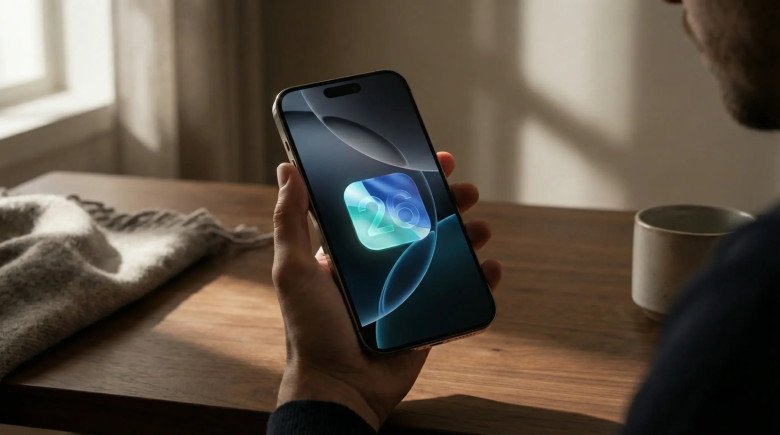
Apple has once again raised the bar for innovation with the release of iOS 26, a revolutionary update that transforms the iPhone experience with a redesigned interface, smart features, and significant improvements to popular apps.
This update not only enhances the look and feel of the device but also redefines how users interact with their devices.
The Strategic Pivot: Naming and Timing
The shift to "iOS 26" is more than a marketing gimmick; it is an assertion of ecosystem coherence. For years, the disparity between macOS version numbers (e.g., macOS 15) and iOS version numbers created cognitive dissonance for users and developers. By synchronizing the major version with the year of the software's maturity (2026), Apple underscores the interoperability of its platforms, particularly as features like iPhone Mirroring and Universal Control blur the lines between devices. The release date of September 15, 2025, followed the traditional cadence, arriving just ahead of the iPhone 17 hardware launch, ensuring that the new software would be the vehicle for showcasing the capabilities of the A19 Pro silicon.
The "Liquid Glass" Thesis
At the heart of iOS 26 lies "Liquid Glass," a design paradigm that replaces the flat, minimalist aesthetic that has dominated since iOS 7. This new language is deeply rooted in the physics of light and material, likely borrowing heavily from the spatial design work done for visionOS. It suggests that the iPhone screen is no longer a static canvas of pixels but a window into a layered, three-dimensional environment where interface elements possess weight, translucency, and refractive properties. This shift is not purely aesthetic; it is functional, aimed at creating a sense of depth that helps users maintain context within increasingly complex workflows.
Visual Language and Interface Physics: The Liquid Glass Paradigm
1. The Mechanics of Refraction and Blur
Liquid Glass is distinguished by its use of real-time Gaussian blur and refraction algorithms. Unlike previous iterations of iOS transparency, which simply lowered the opacity of a layer, Liquid Glass simulates the optical distortion of light passing through a physical medium. When a user scrolls a list behind a tab bar or a floating menu, the colors of the underlying content are not just muted; they are scattered and shifted, mimicking the behavior of frosted glass.
This effect creates a distinct "functional layer" that sits above the application content. Controls, toolbars, and navigation elements appear to float, casting subtle shadows that change based on the device's orientation, utilizing gyroscope data to generate a parallax effect. This creates a "z-axis" in the UI, where the distance between the user's finger and the content feels palpable.
2. Iconography and Customization
The app icons in iOS 26 have undergone their most significant redesign in a decade. The new default icons feature multiple layers of translucency, giving them a "gem-like" quality with internal depth. However, the most radical change is the level of user customization allowed.
✅ Clear and Tinted Modes
In a move that surrenders brand control to user preference, iOS 26 introduces "Clear" and "Tinted" icon modes.
-
- Clear Mode: Removes the background fill color of app icons, leaving only the glyph floating on a semi-transparent glass lozenge. This allows the wallpaper to bleed through the interface, creating a harmonious, albeit sometimes low-contrast, aesthetic.
- Tinted Mode: Allows users to apply a uniform color wash across all icons, stripping away the distinct branding of third-party apps in favor of a monochromatic theme that matches a specific Focus mode or aesthetic preference. This feature includes a color picker tool that can sample hues directly from the current wallpaper.
3. The Accessibility Controversy
While visually striking, Liquid Glass has sparked significant debate regarding usability and accessibility. The reliance on transparency, blur, and low-contrast borders has proven challenging for users with visual impairments.
-
- Visual Vertigo: The "tilted" optical illusion produced by the refractive edges of icons and widgets has caused reports of dizziness and disorientation among a subset of users. This effect, intended to simulate lighting direction, can make the interface feel unstable to those sensitive to vestibular triggers.
- Legibility Challenges: In Dark Mode, the "glow" effects used to delineate active elements can result in visual blooming, making text difficult to read against complex backgrounds. Critics argue that the design prioritizes form over function, sacrificing the instant readability of Flat Design for visual flair.
System-Level Overrides:
Recognizing these issues, Apple has implemented granular controls within Settings > Accessibility > Display & Text Size.
-
- Reduce Transparency: Toggling this on disables the refraction engine, reverting Liquid Glass elements to opaque, solid colors.
- Liquid Glass Intensity: A new slider allows users to adjust the "strength" of the glass effect, offering a middle ground between the full refractive simulation and a flat interface.
System Architecture: Intelligence, Power, and Performance
1. Adaptive Power Mode: The AI Battery Manager
Battery life remains a critical performance metric, and iOS 26 addresses this with Adaptive Power Mode. Unlike the binary "Low Power Mode" which applies a blanket throttle, Adaptive Power uses on-device machine learning to model user behavior dynamically.
The Learning Phase:
Upon installation, the system enters a calibration phase lasting approximately one week. During this time, the Neural Engine analyzes usage patterns—identifying when the user typically plays high-fidelity games, when they passively stream audio, and when the phone sits idle.
-
- Dynamic Throttling: Once calibrated, the system can aggressively throttle background processes and reduce screen refresh rates (on ProMotion displays) during predicted idle windows, while uncapping performance for anticipated high-load tasks.
- User Feedback: This explains the widespread reports of battery drain in the first few days post-update. The system is actively indexing and building this behavioral model, consuming more power initially to save it later.
- Charging Intelligence: The update also introduces precise charging estimates. When plugged in, the Lock Screen now displays exactly how many minutes remain until the battery reaches 80% (the threshold for optimized charging) and 100%, providing users with actionable data for managing their charge cycles.
2. The Hardware Divide: A12 Bionic and Beyond
iOS 26 drops support for the iPhone XR, XS, and XS Max, drawing a line in the sand at the iPhone 11 and the A13 Bionic chip. The exclusion of the A12-powered devices is likely driven by the Neural Engine requirements of the new features. The Liquid Glass rendering engine and the local processing required for features like Live Call Screening necessitate a level of ML compute performance that the older silicon cannot sustain without severe thermal throttling.
Performance Benchmarks:
-
- iPhone 15/16 Pro: On newer hardware, iOS 26 demonstrates robust performance, with the Neural Engine handling the overhead of the UI physics without impacting frame rates.
- iPhone 13 Pro: Users on A15-based devices have reported initial sluggishness and thermal spiking, particularly when navigating the new Control Center or using the refractive Search interface. However, subsequent point releases (iOS 26.1, 26.2) have largely optimized these rendering pipelines.
The Application Ecosystem: New Hubs and Utilities
1. The Games App: Console-Grade Management
iOS 26 marks Apple's most significant commitment to gaming with the introduction of the standalone Games app, effectively deprecating the legacy Game Center interface within Settings. This app serves as a centralized launcher and social hub, mirroring the functionality found on dedicated gaming consoles.
Functional Breakdown:
-
- Library Management: The "Library" tab aggregates every game installed on the device, as well as the user's entire purchase history across the App Store. Crucially, it filters games by platform source (App Store, Apple Arcade) and input method, allowing users to quickly find titles that support physical controllers like the Backbone or Xbox controller.
- Social Integration: The "Friends" tab provides a real-time feed of friends' activity. It integrates "Challenges," a feature that allows users to send asynchronous score battles to contacts via Messages. This mimics the viral loops of social gaming, encouraging re-engagement through competition.
- Editorial & Discovery: The "Home" tab uses personalized algorithms to recommend titles based on play history, breaking away from the generic top charts of the App Store. It highlights in-game events and updates, attempting to drive engagement for live-service games.
2. Preview: Desktop Power in Your Pocket
The migration of Preview from macOS to iOS fills a longstanding gap in mobile productivity. While the Files app offered basic viewing, Preview brings the full suite of document manipulation tools to the iPhone.
-
- PDF Editing: Users can now reorder pages, merge multiple PDF documents, and extract specific pages into new files directly on the device.
- Form Intelligence: The app utilizes computer vision to identify form fields (text boxes, checkboxes) in static PDF documents, allowing users to tap and type immediately.
- Signatures and Security: Deep integration with iCloud Keychain allows for the synchronization of signatures from a Mac. Furthermore, users can apply password protection or Face ID locks to specific PDF files within the app, securing sensitive documents before sharing them.
3. Freeform and Notes Enhancements
-
- Freeform Scenes: The infinite canvas app gains support for "Scenes," allowing users to save specific viewports and zoom levels to navigate complex boards easily. It also finally supports tables, allowing for structured data organization within the free-flowing canvas.
- Notes Audio Transcription: The Notes app now features integrated audio recording with live transcription. Using the on-device Neural Engine, it generates searchable text and summaries of lectures or meetings, directly challenging third-party dictation apps.
Intelligence and the "Two Siris" Dilemma
1. The Deferred AI Revolution
A major narrative of the iOS 26 lifecycle is the bifurcation of Siri's capabilities. While Apple marketed "Apple Intelligence" heavily, the transformative Generative AI features were not ready for the initial September launch, leading to a staggered rollout strategy.
Siri 1.5 (iOS 26.0 - 26.3): The version of Siri present at launch is an incremental upgrade. It features a new glowing interface that wraps around the edges of the screen (part of the Liquid Glass language) and improved natural language understanding for setting timers, controlling smart home devices, and handling media. It is faster, thanks to more on-device processing, but it lacks true conversational capability.
Siri 2.0 / "Campos" (iOS 26.4): The true revolution is slated for iOS 26.4, expected in Spring 2026. Internal leaks describe a project codenamed "Campos," a hybrid chatbot system.
-
- Large Language Model (LLM) Backend: This update will integrate the "Apple Foundation Models" (AFM) for local processing of personal context (e.g., "When is my meeting with Sarah?").
- Google Gemini Integration: For world knowledge and creative writing tasks (e.g., "Plan a 3-day itinerary for Kyoto"), Siri will seamlessly hand off the request to Google's Gemini models via the cloud, provided the user consents.
- On-Screen Awareness: The new Siri will have visibility into active app states, allowing users to say "Send this to Mike" while looking at a photo, with Siri understanding that "this" refers to the image on screen.
2. Visual Intelligence
While the chatbot is delayed, Visual Intelligence is live and potent. Integrated into the Camera app and the new screenshot interface, this feature allows users to "ask" about what they see. Taking a screenshot reveals a "Visual Intelligence" button; tapping it analyzes the image for products, landmarks, plants, or text. Users can then seamlessly copy text, search for similar products online, or get encyclopedic definitions.
Communication: Call Screening and Messaging Evolution
1. The End of Robocalls: Live Call Screening
iOS 26 introduces a feature that fundamentally changes the telephony experience: Live Call Screening. When an unknown number calls, a "Screen Call" button appears alongside the traditional Answer/Decline options.
-
- Mechanism: Tapping this button silences the ringtone and answers the call with a synthesized Siri voice, informing the caller that the user is screening the call.
- Real-Time Transcription: The caller's spoken response is transcribed in real-time on the user's Lock Screen. The user can watch the text appear and choose to pick up the call if it's legitimate or send it to voicemail/block it if it's spam.
- Privacy: Crucially, this entire process happens on-device using the Neural Engine. No audio is sent to the cloud for processing, a key differentiator from competitor implementations like Google's Call Screen.
2. Hold Assist
For outbound calls, Hold Assist alleviates the frustration of waiting in a queue. When the system detects hold music, the user can tap "Hold for Me." The iPhone effectively listens to the call in the background, suppressing the audio output. When a human voice interrupts the music (indicating an agent has picked up), the phone alerts the user with a notification and haptic buzz to return to the call.
3. Messages and RCS
The Messages app receives significant aesthetic and functional updates.
-
- Chat Backgrounds: Users can now set custom wallpapers for individual chat threads, using personal photos or generative abstract patterns.
- RCS Support: While iMessage remains the gold standard, iOS 26.3 betas confirm the impending arrival of the RCS Universal Profile. This update will bring high-resolution media sharing, typing indicators, and read receipts to conversations with Android users, bridging the "green bubble" feature gap while maintaining the blue bubble distinction.
4. FaceTime Live Captions
FaceTime now supports Live Translation Captions. During a video call, if a participant speaks a supported language (e.g., Spanish, French, Japanese), the system can generate translated subtitles in real-time for the other party. This feature lowers language barriers in both personal and business communications.
Privacy, Security, and the War on Tracking
1. Advanced Fingerprinting Protection (AFP)
In a move that solidifies its adversarial stance against the ad-tech industry, Apple has expanded Advanced Fingerprinting Protection to all browsing modes in Safari by default. Previously, this protection was limited to Private Browsing.
Technical Deep Dive:
Browser fingerprinting relies on gathering a multitude of non-identifying data points (screen resolution, battery level, installed fonts, GPU renderer info) to create a unique "hash" of a user. AFP counters this by:
-
- Data Normalization: Safari now reports standardized values for screen size and system configuration, making all iPhone users look identical to trackers.
- Noise Injection: The browser injects subtle, random noise into HTML Canvas and WebGL readouts. This means that if a tracker attempts to generate a fingerprint based on graphical rendering, the result will change with every session, rendering the fingerprint useless for persistent tracking.
- Impact on Marketers: This change makes probabilistic attribution (guessing a user's identity based on device traits) significantly harder. For SEO strategists and digital marketers, this reinforces the need to rely on first-party data and Apple's own SKAdNetwork for attribution.
2. Link Tracking Protection
Complementing AFP is Link Tracking Protection. In Mail, Messages, and Safari Private Browsing, the system automatically strips known tracking parameters from URLs. Identifiers like gclid (Google Click ID) and fbclid (Facebook Click ID) are removed before the webpage loads.
-
-
SEO Implication: This disrupts conversion tracking that relies on these parameters persisting through the URL. Marketers may see an increase in "Direct" traffic attribution in analytics platforms as the referral source parameters are cleansed.
-
3. Declared Age Range API
To comply with emerging digital safety laws (such as the UK's Online Safety Act), iOS 26 introduces the Declared Age Range API. This framework allows apps to query the user's age bracket (e.g., "Under 13," "13-17," "18+") without accessing the user's specific date of birth. Apple verifies the age via the Apple ID and returns only a boolean confirmation or the specific range. This allows apps to sanitize content for minors without collecting sensitive personal data.
Ecosystem Synergy: The Mac and Beyond
1. iPhone Mirroring and Spotlight Integration
A headline feature of the macOS Tahoe (v26) and iOS 26 pairing is iPhone Mirroring. This allows users to view and interact with their iPhone screen wirelessly from their Mac.
-
- Spotlight Integration: The integration is seamless; iPhone apps now appear in the Mac's Spotlight search results. Clicking an iPhone app icon launches the mirroring window and opens the app instantly.
- Drag and Drop: The latest update enables cross-device drag and drop. A user can drag a video file from the Mac Finder and drop it directly into the Photos app running in the mirrored iPhone window, or drag a PDF from the iPhone's Files app to the Mac desktop.
2. AirPods: The Body as Controller
iOS 26 unlocks new capabilities for AirPods Pro (2nd Gen) and newer models.
-
- Head Gestures: Users can now nod their head to answer a call or shake their head to decline it, allowing for truly hands-free interaction when voice commands are socially inappropriate.
- Camera Remote: A hidden feature allows the AirPods stem press to function as a remote shutter for the Camera app. This is particularly useful for group photos or tripod shots where the user is at a distance from the phone.
Hardware Realities: Benchmarks and Compatibility
1. Compatibility Matrix
The requirement for the A13 Bionic chip or later creates a distinct cutoff for iOS 26 eligibility.
-
- Supported: iPhone 17 series, iPhone 16 series, iPhone 15 series, iPhone 14 series, iPhone 13 series, iPhone 12 series, iPhone 11 series, iPhone SE (2nd & 3rd Gen).
- Dropped: iPhone XS, iPhone XS Max, iPhone XR.
2. Performance Speed Tests
Benchmarks conducted on the iPhone 15 Pro Max show that iOS 26 maintains comparable CPU performance to iOS 18, with negligible differences in Geekbench scores. However, GPU scores show a slight variance due to the overhead of the Liquid Glass rendering pipeline.
-
-
App Launch Speeds: On A17 Pro and A18 chips, app launch times remain instantaneous. On older devices like the iPhone 11, there is a measurable millisecond delay in the animation startup, though the functional load time is unaffected.
-
3. Thermal Management
A common complaint with early iOS 26 betas was device heat. The aggressive background processing for the "Photo Memories" AI and the new "Spatial Scene" generation caused devices to run warm. The final public release has mitigated this through optimized scheduling, ensuring these intensive tasks only run when the device is charging and thermal headroom is available.
Strategic Implications for Digital Marketers (SEO/ASO)
1. The Attribution Black Hole
For SEO and paid media strategists, iOS 26 presents a challenging landscape. The combination of Link Tracking Protection and Advanced Fingerprinting Protection creates a "black hole" in attribution data.
-
- Strategy Shift: Marketers must pivot away from reliance on URL parameters for user tracking. Implementation of server-side tracking (like Meta's Conversions API or Google's Enhanced Conversions) becomes mandatory to bridge the gap left by client-side signal loss.
- UTM Parameters: While
gclidis stripped, standard UTM parameters (utm_source,utm_medium) generally remain intact in non-private browsing modes. Strategists should ensure their UTM naming conventions are robust and do not rely on proprietary click IDs.
2. App Store Optimization (ASO)
The introduction of the Games App creates a new surface for app discovery.
-
- Metadata Optimization: Game developers must ensure their App Store metadata correctly identifies controller support and genre to appear in the filtered lists within the Games app.
- Events: Utilizing "In-App Events" is now critical, as these are surfaced prominently in the "Home" tab of the Games app. A well-timed event can drive significant re-engagement from users who have the game installed but haven't played recently.
The Road Ahead: iOS 26.3, 26.4, and Beyond
1. iOS 26.3: The Interoperability Update
Expected in early 2026, iOS 26.3 will focus on breaking down walled gardens, largely driven by regulatory pressure.
-
- Android Migration Tool: A new, streamlined tool will facilitate the transfer of data from iPhone to Android, a reciprocal requirement to the existing "Move to iOS" app.
- RCS Integration: Full rollout of RCS support for all carriers, standardizing the messaging experience across mobile platforms.
2. iOS 26.4: The AI Super-Update
This is the update that will define the legacy of iOS 26. It will bring the "Campos" chatbot, deep Siri integration with third-party apps via App Intents, and the overhauled Health app with AI-driven wellness coaching. It is anticipated that this update will drive a secondary wave of hardware upgrades, as the most advanced AI features may be gatekept to the newest silicon.
Conclusion
iOS 26 is a study in contrasts. Visually, it is the most fluid and playful operating system Apple has ever produced, with Liquid Glass adding a layer of delight and depth. Functionally, it is a fortress of privacy, erecting new barriers against the surveillance economy. Strategically, it is a transitional step towards an AI-first future, laying the architectural groundwork (Adaptive Power, AFM integration) for features that are still on the horizon.
iOS 26 introduces a mix of visual, functional, and privacy-focused enhancements, offering immediate benefits to users while signaling broader industry implications.
Liquid Glass Design delivers a high visual impact, appealing to UI enthusiasts who prioritize aesthetic refinement. The new Games app drives engagement, benefiting both gamers and developers by expanding interactive opportunities on iOS. Call Screening provides practical utility for general consumers, streamlining communication and reducing interruptions.
Privacy receives a strong focus with Advanced Fingerprinting Protection, offering high-level safeguards that resonate with privacy advocates. Siri’s LLM integration, though delayed, promises very high future value for power users seeking advanced AI-driven assistance. iPhone Mirroring enhances workflow efficiency for Mac owners, while RCS support improves cross-platform communication for moderate-impact gains.
Overall, iOS 26 reinforces Apple’s influence on the digital ecosystem, compelling designers to adopt new aesthetics, developers to leverage updated APIs, and marketers to navigate privacy-first strategies, all while delivering tangible benefits for everyday users.
You may also like
-

How to Optimize Your Website for Google SGE & Win AI Search
-
The Engineering Secrets Behind Ancient Megastructures
-
OpenAI Sora vs Midjourney v6: Best AI Tools for Marketers
-
Midjourney v6: The Complete Guide to Advanced Prompts & Photorealism
-
The Rise and Fall of OpenAI Sora: What Happened to the Video AI Giant?
-
Apple Watch Series 11 Review: Is It Worth the Upgrade?

















Comments
0 comment