OFIYAA Review: The Truth About Triple-Screen Laptops
Discover the truth in our detailed review of OFIYAA (2025). why it's the ideal productivity tool despite its limitations.

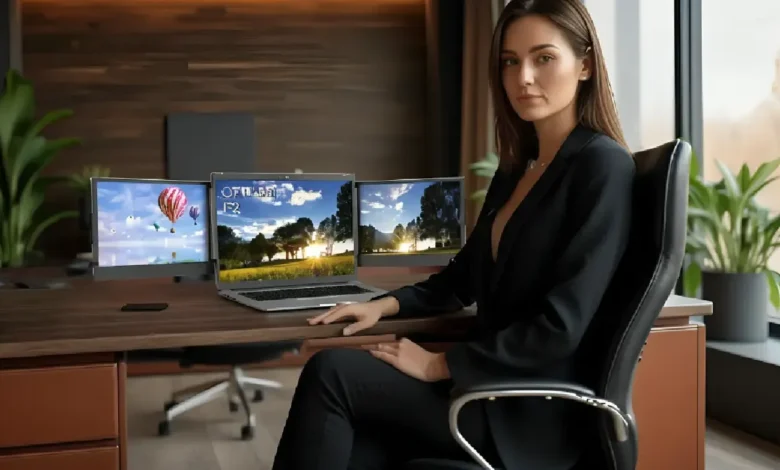
For digital nomads, day traders, and developers, the transition from a multi-monitor desktop setup to a single laptop screen can feel like a suffocating downgrade. The constant toggling between tabs kills workflow momentum. This is the problem OFIYAA claims to solve. It promises to transform your humble 13-inch laptop into a panoramic command center in seconds.
But beyond the flashy marketing videos showing sleek setups in coffee shops, how does this device actually perform in the real world? We dove deep into the technical specifications, build quality, and daily usability to bring you an unfiltered analysis of whether this gadget is a genuine productivity tool or just heavy tech clutter.
Engineering and Design: More Than Just Plastic
The OFIYAA P2 (and its “Pro” iterations) utilizes a spring-loaded clamping mechanism designed to grip the lid of laptops ranging typically from 13 to 16 inches. Unlike cheaper knockoffs, the build quality here surprises with a blend of industrial plastic and metallic alloys, giving it a sturdy feel.
However, the most critical design element is the built-in kickstand. This is not merely an aesthetic addition; it is an engineering necessity. The unit adds significant weight (often over 2 lbs) to your laptop. Without the kickstand deployed to support the back, the torque could eventually weaken or damage your laptop’s hinges. Using the kickstand effectively neutralizes this risk, making the setup stable even on smaller cafe tables.
The Connectivity Maze: Not All USB-C Ports Are Equal
This is the section where most buyers get confused, and it is vital to understand before you buy. OFIYAA relies heavily on your laptop’s port capabilities. In a perfect scenario, if your laptop has two fully functional USB-C ports (supporting both power delivery and video signal, known as DisplayPort Alt Mode), the setup is a dream. You simply plug in one cable per screen, and it works instantly without external power bricks.
However, the reality for many users is different. If your laptop only has regular USB-A ports or a single HDMI port, you enter the realm of “cable chaos.” You will need to use the included dongles and HDMI cables, plus an external power source for the screens. While the device does work with older laptops, the resulting web of wires can detract from the “portable” experience.
Display Performance: Optimized for Workflow, Not Art
When you slide out the 11.6-inch or 12-inch IPS panels, you are greeted with a standard 1080p resolution (1920×1080). For coding, writing emails, analyzing stock charts, or managing Slack, the display is sharp and perfectly adequate. The text is crisp, and the matte finish helps reduce glare in bright environments.
That said, creative professionals need to temper their expectations. These screens typically cover about 72% of the NTSC color gamut. While this is decent for general use, it does not match the color accuracy or brightness (nits) of a high-end MacBook Pro Retina display. If you are a colorist or a professional photo editor, you should use these screens for your toolbars and palettes, keeping your main laptop screen for the color-critical work.
The “Apple Silicon” Limitation
If you own a MacBook with an M1 or M2 chip (not the Pro or Max versions), you face a hardware limitation. These base chips natively support only one external display. To get both OFIYAA screens working, you often need to install specific drivers (like DisplayLink) or use a specialized docking station workaround. Windows users and those with Intel-based Macs or M1/M2 Pro/Max chips generally face fewer hurdles, enjoying a true plug-and-play experience.
Impact on Battery Life
It is important to remember that these screens do not have their own internal batteries; they sip power directly from your laptop. Driving two additional 1080p panels is energy-intensive. In real-world testing, you can expect your laptop’s battery life to drop by 30% to 50% depending on brightness settings. For sessions longer than two hours, keeping your laptop charger plugged into the wall is virtually mandatory.
Final Verdict
The OFIYAA Triple-Screen Extender is an impressive feat of compact engineering. It successfully solves the “screen real estate” problem for travelers and remote workers. The ability to have a dedicated screen for research, one for writing, and one for communication is undeniably a game-changer for productivity.
However, it is not for everyone. If you prioritize an ultra-lightweight bag or need cinema-grade color accuracy, this might not be for you. But for the data analyst, the coder, or the writer who feels limited by a single screen, OFIYAA offers the best balance of portability and functionality currently on the market.